Use this page to choose the right Cydia guide. There is no universal browser process that jailbreaks every iPhone or installs native Cydia on every iOS release.
Explore the Free CydiaMate Demo
Browse original demo packages, preview themes and save examples to a local Installed collection. Open the free Cydia-style browser experience without an account. Demo installs save browser entries and do not install native tweaks.
Find the Installed Software Version
Open Settings > General > About and record the model and complete iOS or iPadOS version. Keep the platform name too: an iPadOS release should not be described as an iPhone update.
Current Apple Branches
Read the iOS 27.2.1 guide, iOS 26.7.3 guide or iOS 18.7.12 guide. These pages separate Apple release information from developer-confirmed jailbreak compatibility.
Older Devices and Historical Methods
The guide directory includes older iOS branches. Read those pages with their device limits intact. A working method for one chip or patch is not proof that another device supports it.
Know Which Kind of App You Are Choosing
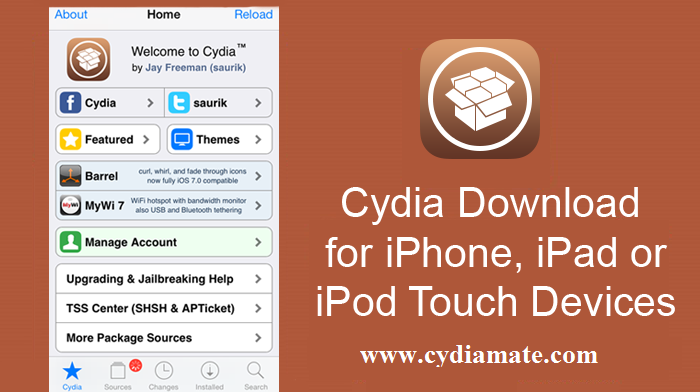
Cydia is a native package manager for compatible jailbreak environments. An IPA signer, app-distribution service and browser demo serve different roles. A website shortcut does not create a system jailbreak, and a signed app can still run with limited permissions.
Check the Developer Reference
A useful guide names the project and links to its supported-device and release information. Read the current installation, reactivation and removal instructions. This site does not ask you to pay for a universal jailbreak or display a simulated success screen as proof of system access.
Use the Website on Mobile or Desktop
The guides can be read in a normal browser on a phone, tablet or computer. A developer tool may have its own platform requirements, but those should be stated by the project. Merely visiting CydiaMate does not install a profile, app or tweak.
Frequently Asked Questions
Does the old Cydia Download button run a jailbreak?
The updated route provides guide choices and compatibility information. It does not run a system installer.
Do I need to join a membership to read these guides?
The public guides are available to read without joining a membership.
Can I learn the Cydia layout in a browser?
A clearly labelled browser demo can explain the layout, but it cannot install native tweaks or prove jailbreak success.