Cydia Download Guides, iOS Compatibility and iPhone Customization
CydiaMate helps you understand Cydia downloads, jailbreak compatibility and iPhone customization. Find guidance for iOS 27.2.1, iOS 26.7.3, iOS 18.7.12 and older releases, with links to the developers behind the tools. Start with your exact device model and software version so you can choose information that applies to your iPhone or iPad.
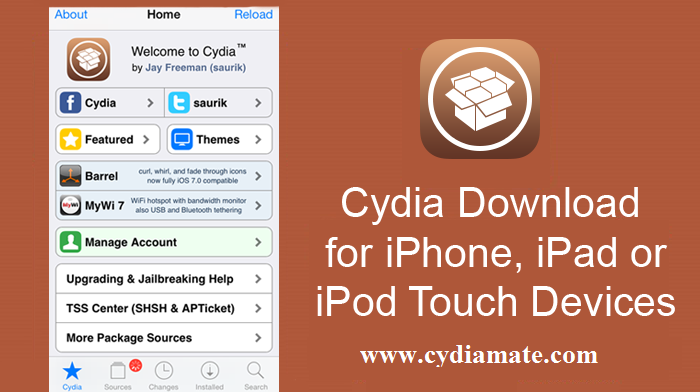
Cydia is the package manager developed by Jay Freeman, also known as Saurik. It is used to install software packages on compatible jailbroken devices. A native Cydia installation needs a supported jailbreak environment. Our free Cydia-style browser demo lets you explore the interface, while installing a package manager changes what software your device can run.
Before following an installation guide, open Settings > General > About and note your model name and complete iOS or iPadOS version. Even a small version difference can affect compatibility. A download advertised for an earlier release should not be treated as support for the latest update.
Latest iOS Versions and Cydia Download Status
The table below separates Apple software releases from jailbreak availability. Apple releasing an update does not mean a matching jailbreak has been released. The official project pages reviewed for this update do not list support for the three exact versions below, so this guide does not present a native Cydia installation on them as confirmed.
| Software version | What to check |
|---|---|
| iOS / iPadOS 27.2.1 | Look for explicit support for your model and this exact release. |
| iOS / iPadOS 26.7.3 | An earlier iOS 26 method does not establish support for 26.7.3. |
| iOS / iPadOS 18.7.12 | Verify current tool documentation rather than an older iOS 18 claim. |
Release reference: Apple security releases. Compatibility references: unc0ver, checkra1n, Dopamine and palera1n.
Cydia Download for iOS 27.2.1 and iOS 27
If you are searching for Cydia download iOS 27.2.1, first check whether a jailbreak developer names your exact device and release. The projects reviewed for this page do not confirm support for iOS 27.2.1. Guides for iOS 27, 27.0.1, 27.1 or 27.2 also need their own compatibility check; a version number in a headline is not enough.
A browser-based Cydia preview can show how categories, package pages and search screens work. It does not give iOS the access needed to install system tweaks. If your goal is to change your Home Screen, you can explore wallpapers, widgets and Shortcuts using the features already available on your iPhone.
Cydia Download for iOS 26.7.3 and iOS 26
iOS 26.7.3 needs to be checked separately from earlier iOS 26 releases. A method documented for 26.0 or 26.0.1 is not automatically suitable for 26.7.3. The official project pages reviewed for this update do not list support for this exact newer release.
Before choosing a download, read the developer's supported-device list, release notes and installation instructions. Confirm which package manager the tool supplies. Some modern jailbreak environments use Sileo or Zebra, and an older Cydia package may not be compatible with that setup.
Cydia Download for iOS 18.7.12 and iOS 18
For iOS 18.7.12, compare your model and complete version number with the current documentation from the jailbreak developer. Support for an earlier iOS 18 release does not establish support for this update. We have not confirmed a compatible native Cydia installation method for iOS 18.7.12 from the project pages reviewed.
Our iOS 18 Cydia guide remains available for background reading. Older announcements should be read in their original context. Use current project documentation when deciding whether a method applies to your device today.
How to Choose a Cydia Installation Method
- Identify your device. Note the model name and full software version in Settings > General > About.
- Check the official support list. Both your device and software version must match the tool's requirements.
- Understand the package manager. Check whether the supported environment uses Cydia, Sileo or Zebra.
- Back up important information. Read the project's installation and removal instructions before making changes.
- Use the developer's own download links. Follow the instructions for that exact setup rather than a generic one-click promise.
Official Jailbreak Project References
- unc0ver — check its supported software range and device-specific requirements.
- checkra1n — read the release notes and requirements for supported older hardware.
- Dopamine — check the current rootless jailbreak compatibility information.
- palera1n — confirm hardware support and the restrictions that apply to your device.
A successful jailbreak does not make every tweak compatible. Packages can depend on a particular iOS version, device or jailbreak environment. Read the package developer's description before installing it, and avoid combining instructions written for different tools.
Cydia Guides for Older iOS Versions
Older iPhones and iPads have different compatibility limits. iOS and iPadOS also use separate release histories, so an iPadOS update should not be described as an iPhone iOS release. Use these existing guides for background, then confirm any installation method with its developer.
- Cydia guidance for iOS 17 and iPadOS 17
- Cydia guidance for iOS 16
- Cydia guidance for iOS 15
- Cydia guidance for iOS 14
- Cydia guidance for iOS 13
- Cydia guidance for iOS 12
- Older iOS 11 information
- Older iOS 10 information
- Apple TV jailbreak background
iPhone Customization Without a Jailbreak
You can personalize many parts of an iPhone without installing Cydia. Start with a new wallpaper, a useful widget layout or a Shortcut for a task you repeat. The options available depend on your iOS version, but these changes can improve your everyday setup using normal device features.
Sideloading and jailbreaking are also different processes. Installing a signed IPA does not automatically jailbreak an iPhone or make Cydia tweaks compatible. For background on other approaches, browse our Cydia alternatives guide and Cydia Impactor information, then check current instructions from the relevant developer.
Cydia Download: Frequently Asked Questions
What is Cydia used for?
Cydia manages software packages on compatible jailbroken Apple devices. Depending on the supported setup, those packages can include tweaks, themes and utilities. Cydia is separate from the Apple App Store, and compatibility depends on the jailbreak environment.
Can I download Cydia without jailbreaking?
Native Cydia needs a compatible jailbreak environment. Opening a website or adding a browser shortcut to your Home Screen does not create that environment. You can still use a browser demo to learn about the interface and use normal iPhone features for customization.
Is there a confirmed Cydia installer for iOS 27.2.1?
The official projects reviewed for this page do not list support for iOS 27.2.1. We therefore do not present a native Cydia installation on this release as verified. Check the developer's current supported-device list before following an installation guide.
Can I use an older guide on iOS 26.7.3 or iOS 18.7.12?
Only when the developer explicitly supports your exact device and version. A guide for an earlier update in the same iOS series may rely on a method that no longer applies. The newer releases need their own compatibility check.
What is the difference between a Cydia demo and native Cydia?
A Cydia-style browser demo lets you explore example screens and learn how a package manager is organized. Native Cydia installs and manages packages in a supported jailbreak environment. A demo cannot install system tweaks or confirm that a device has been jailbroken.
Does Add to Home Screen install the real Cydia app?
Adding a website to the Home Screen creates a shortcut or web app. It does not, by itself, install native Cydia, jailbreak iOS or grant access to system files.
Are Cydia, Sileo and Zebra interchangeable?
They are different package managers. Use the one supported by your jailbreak and check each package's requirements. An older Cydia tweak may need changes before it can work in a modern rootless environment.
Will updating iOS affect my existing jailbreak?
A software update can remove jailbreak functionality and install a release your current tool does not support. Keep a current backup and read the developer's update or removal instructions before changing an already jailbroken device.
About CydiaMate
CydiaMate is an independent website covering Cydia, jailbreak compatibility and iPhone customization. Cydia was developed by Jay Freeman (Saurik); CydiaMate is not the official Cydia project. Our aim is to help readers distinguish installation guidance, historical news and browser demonstrations.
Sources reviewed for this update: Apple security releases, Jay Freeman's projects, unc0ver, checkra1n, Dopamine and palera1n. Checked November 16, 2026.
Browse All CydiaMate Guides
Use the guide directory to find every updated software-family and tool page. Newer iOS compatibility pages and older historical guides are grouped by topic so you can compare the right information.